
Oboro no Ichi controller support and Gamepad Compatibility
Quick answer
As of 2026-11-03, the official Steam page lists no Oboro no Ichi controller support, designating a Mouse Only Option as its official input feature instead. While the store listing marks the game as Steam Deck Playable, players testing the demo report that gamepads provide only partial, awkward input rather than dedicated native controls. Community discussions indicate that holding an analog stick and pressing face buttons can force menu selections, but the market management interface is built for pointer navigation.
| Native Controller Support | Not listedOboro no Ichi on Steam |
|---|---|
| Official Input Options | Mouse Only OptionOboro no Ichi on Steam |
| Steam Deck Rating | PlayableOboro no Ichi on Steam |
Learn if Oboro no Ichi controller support is available, how gamepad inputs function in the demo, and why mouse controls remain the intended input method.

Table of Contents
As of 2026-11-03, the official Steam page lists no Oboro no Ichi controller support, designating a Mouse Only Option as its official input feature instead. While the store listing marks the game as Steam Deck Playable, players testing the demo report that gamepads provide only partial, awkward input rather than dedicated native controls. Community discussions indicate that holding an analog stick and pressing face buttons can force menu selections, but the market management interface is built for pointer navigation.
Official Input and Accessibility Features
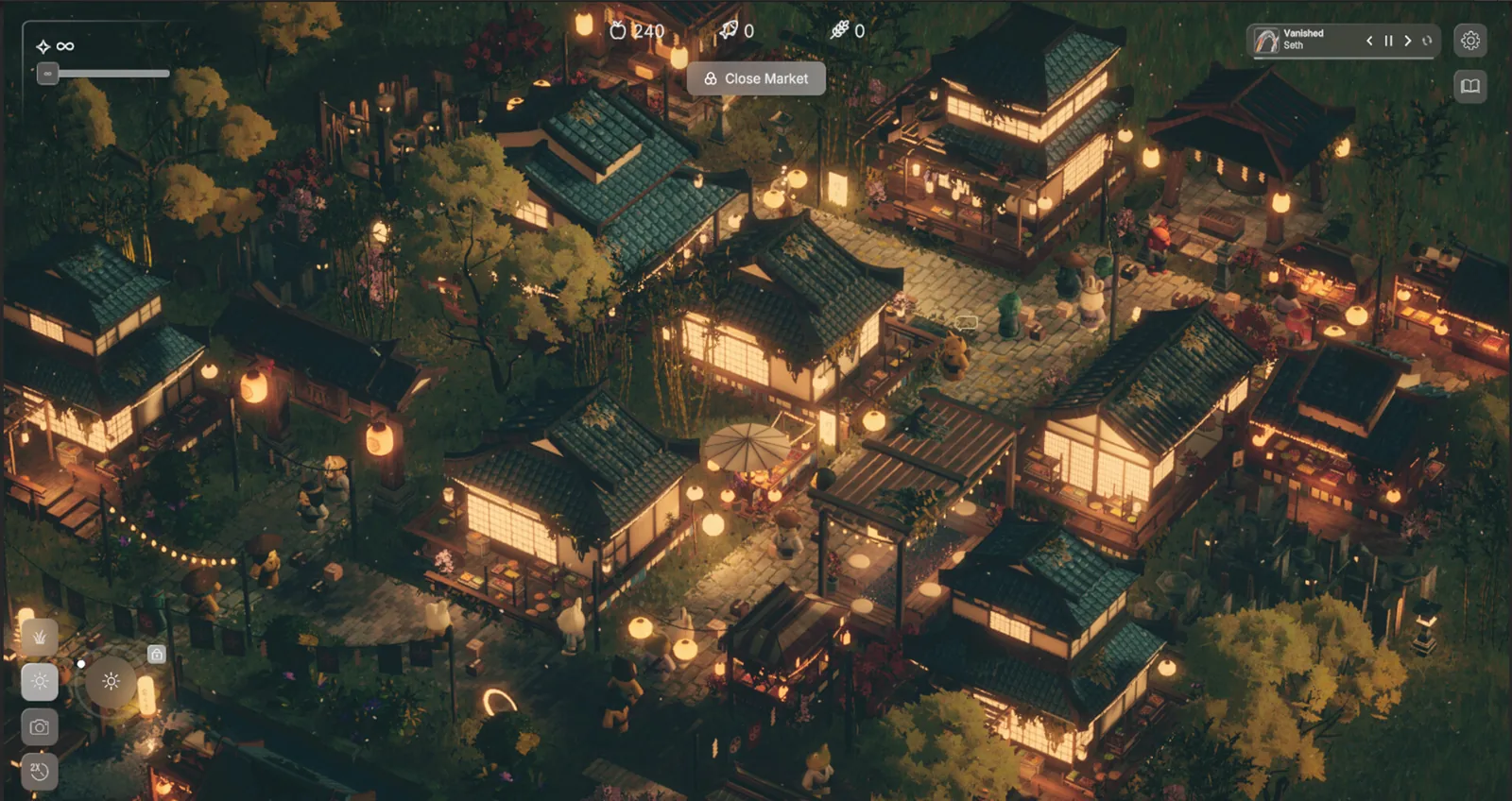
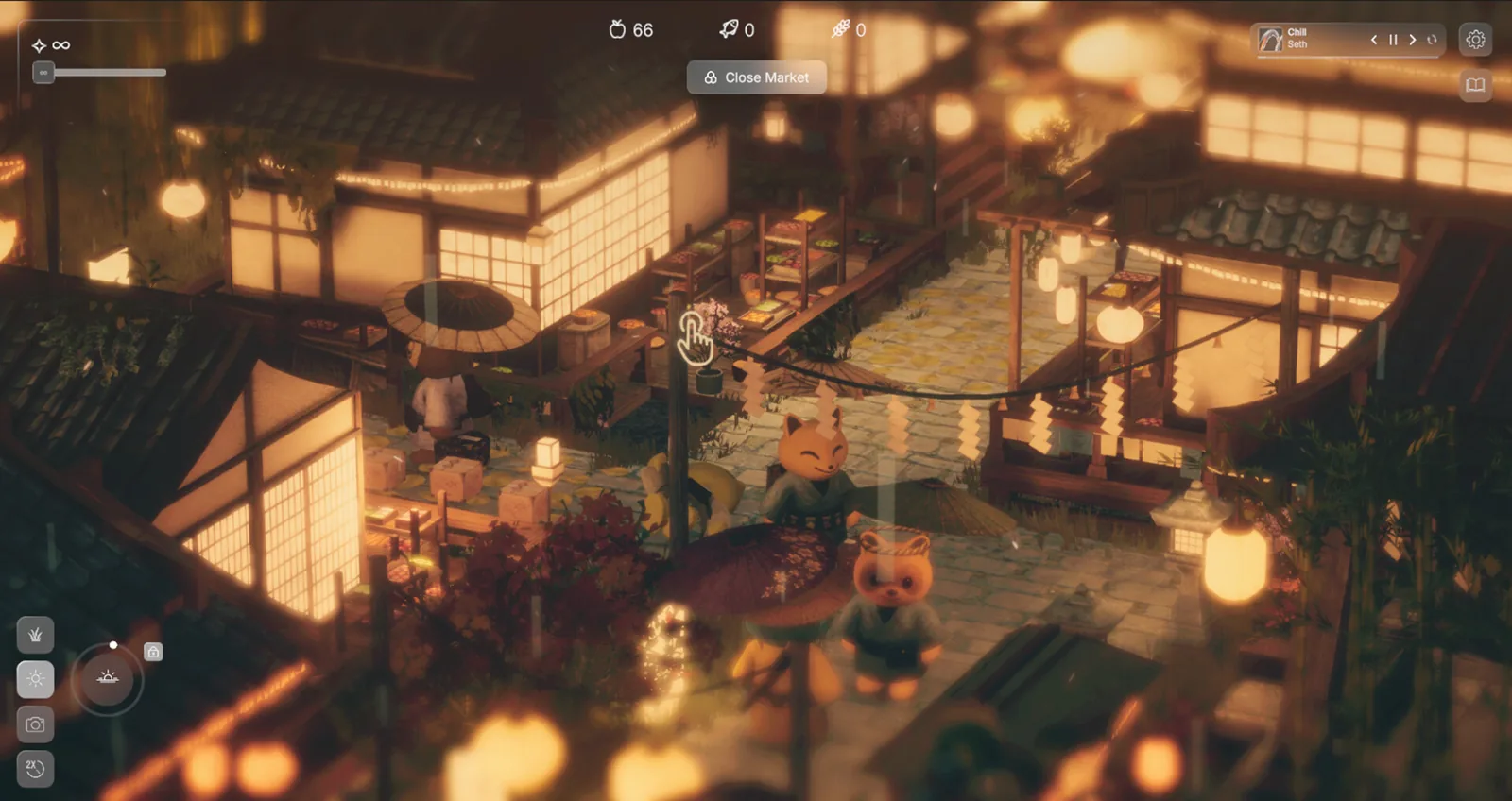
Developer TheLaba designed the spiritual market sim around point-and-click city-building mechanics. The game features an isometric perspective where players place stalls, construct pathways, and direct wandering spirits. Because the interface relies on precise cursor placement to drag and connect structures, standard gamepad schemes are absent from the technical profile.
On the official Oboro no Ichi Steam store page, input and accessibility capabilities are outlined with specific limitations:
- Mouse Only Option: Confirmed under accessibility input options, allowing full playability using only a mouse.
- Playable without Timed Input: No quick-time events or high-speed twitch reflexes are required to organize stalls or welcome spirits.
- Steam Deck Compatibility: Categorized as Playable, though interaction relies on trackpad emulation or touch input rather than native console-style gamepad layouts.
Community Gamepad Behavior in the Demo
While the title does not officially feature controller integration, players on the Steam Community forums have tested controller connectivity during demo play sessions. First-hand feedback demonstrates why relying on a gamepad is currently impractical:
- Partial Stick Detection: Players on the Steam forums report that plugging in a controller registers raw analog inputs, but it does not map cleanly to standard in-game navigation.
- Workaround Menu Navigation: In one community report addressing an erratic cursor bug, a player managed to navigate interface menus only by holding down the right thumbstick and repeatedly pressing buttons to force item selection.
- Lack of Button Prompts: The user interface retains standard mouse-click prompts regardless of connected peripheral hardware.
Because the Early Access roadmap prioritizes expanded market dynamics, spirit interactions, and new structures, players should plan to use a standard mouse or trackpad setup.
FAQ
Does Oboro no Ichi require a mouse to play?
Yes. The developer designed the market management systems around pointer controls, and the store listing specifically highlights a Mouse Only Option as an accessibility feature.
Can you use Oboro no Ichi controller support on the Steam Deck?
The store listing rates the game as Steam Deck Playable, but without native controller bindings, players must configure the Deck trackpads or touch screen as a mouse pointer to manage stalls.
Can you navigate menus with a controller in the demo?
Players on the Steam community forums report only crude, partial input when plugging in a controller, such as forcing cursor focus by tilting an analog stick, making gamepads unsuitable for regular play.
Verification Note
Information on this page was verified using the official Oboro no Ichi Steam store page and first-hand player reports on the Steam Community discussion boards. Whether developer TheLaba will add native controller remapping during the 6 to 12 months of Early Access remains unconfirmed.
Related guides for this game
Platforms Guides Index
Does Oboro no Ichi Mac Support Exist? macOS Requirements
Oboro no Ichi mac support is confirmed on Steam, with a native macOS release planned for the Nov 9, 2026 Early Access launch. Find the full details here.
Oboro no Ichi Steam Page: Where to Find and Wishlist It
Oboro no Ichi steam page is live (app 4559930), listing a planned November 9, 2026 Early Access release. The game is not purchasable yet, so wishlist it
Release Guides Index
Oboro no Ichi Price: Early Access Cost and Discount Plan
The exact Oboro no Ichi price is not listed yet, but the developer confirms a discounted Early Access price at launch on Nov 9, 2026. Here is what to check.
Story Guides Index
Oboro no Ichi story: Plot, Setting, and Themes Explained
The Oboro no Ichi story follows lost souls that cannot reach Tokoyo and the night market an ancient kami made so they can trade memories and find peace.
Guide Guides Index

Oboro no Ichi Resource Management: Production to Sales Guide
How Oboro no Ichi resource management works: place production structures, connect them so output supplies your stalls, and sell to the drifting spirits.
Media Guides Index
Oboro no Ichi Devlog: Catch Up on Every Update So Far
See what the Oboro no Ichi devlog covers so far: Devlog 1's origin story, its world of Kakuriyo and Tokoyo, and why promised Devlog 2 has not appeared yet.